NEW PHONE. SAME NOTES.
Your Apple Notes.
Now on Android.
LinkNotes is a tool to transfer Apple Notes from iPhone to Android. Create an encrypted note pack on your iPhone, send it to yourself, and open it in LinkNotes on your Android phone.
iPhone export → Encrypted .notepack → Android import
Your ideas.
Your lists.
Your everyday notes.

Start on iPhone.
Use LinkNotes and Apple Shortcuts to prepare your notes.
One file to move.
Share your encrypted .notepack by email, messenger, or another method.
Continue on Android.
Open the file in LinkNotes to import your notes.
MEET LINKNOTES ON ANDROID
A familiar feel.
A new home on Android.
An interface inspired by Apple Notes, with familiar folders, note lists, and swipe actions. Bring your notes over, then keep making them your own.
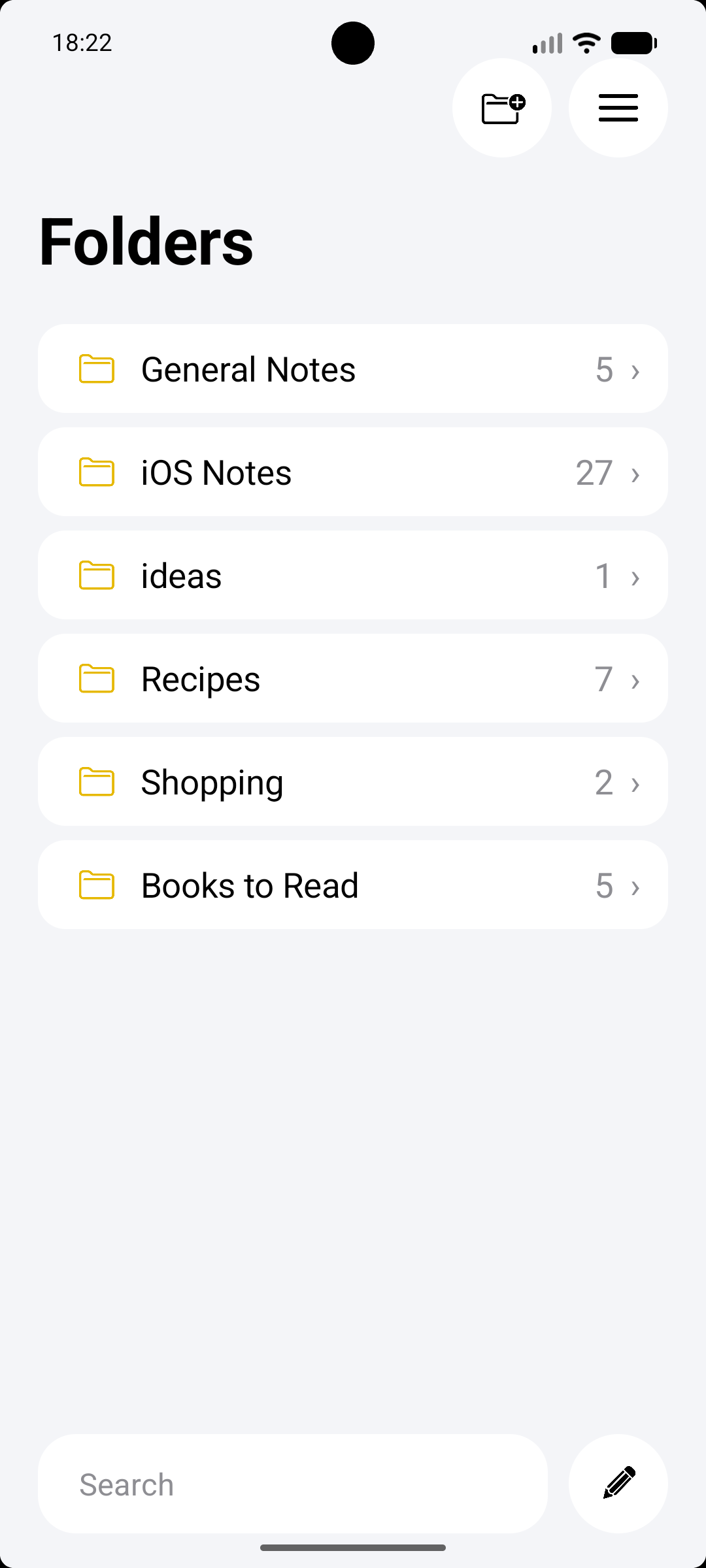
Everything in its place
Keep your notes organized in familiar folders.
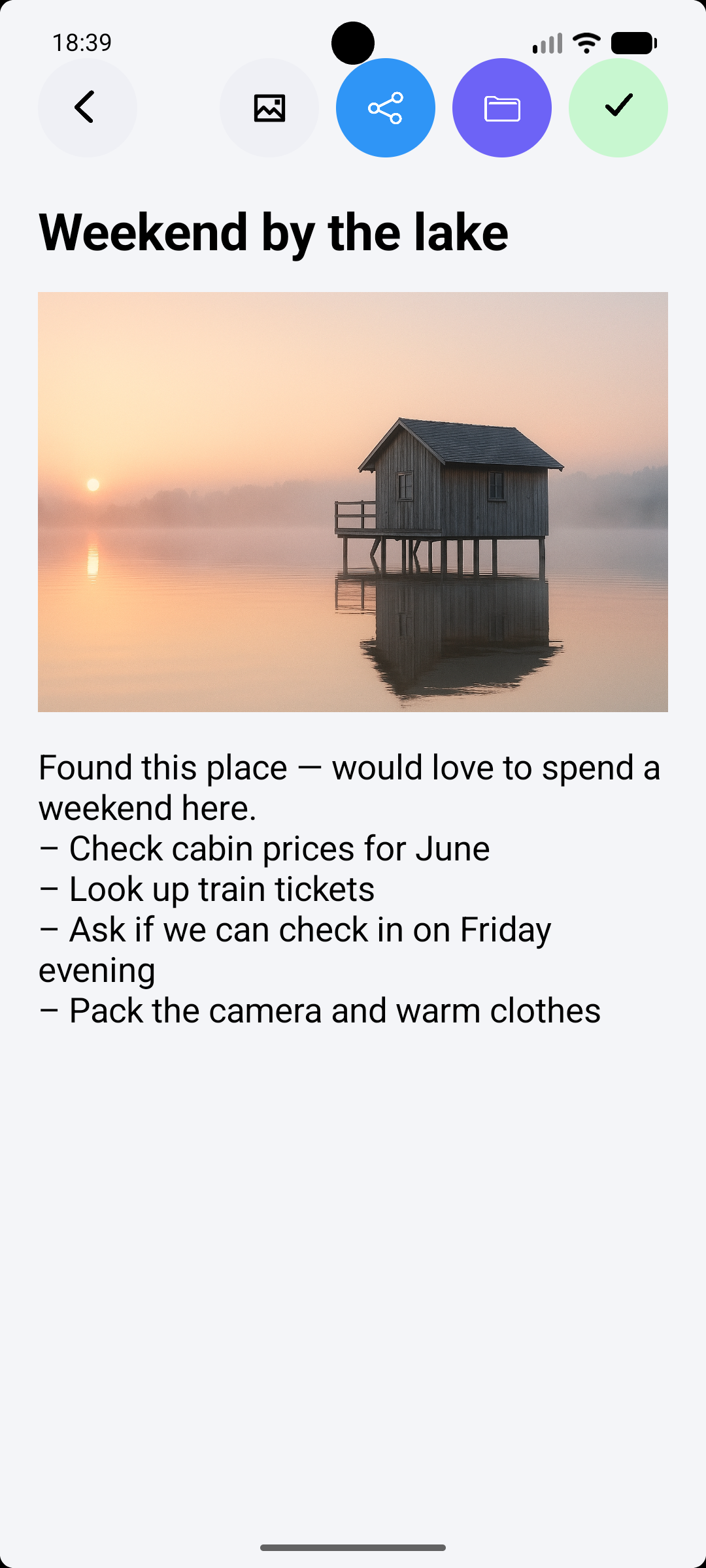
More than words
Keep photos and everyday plans together in one note.
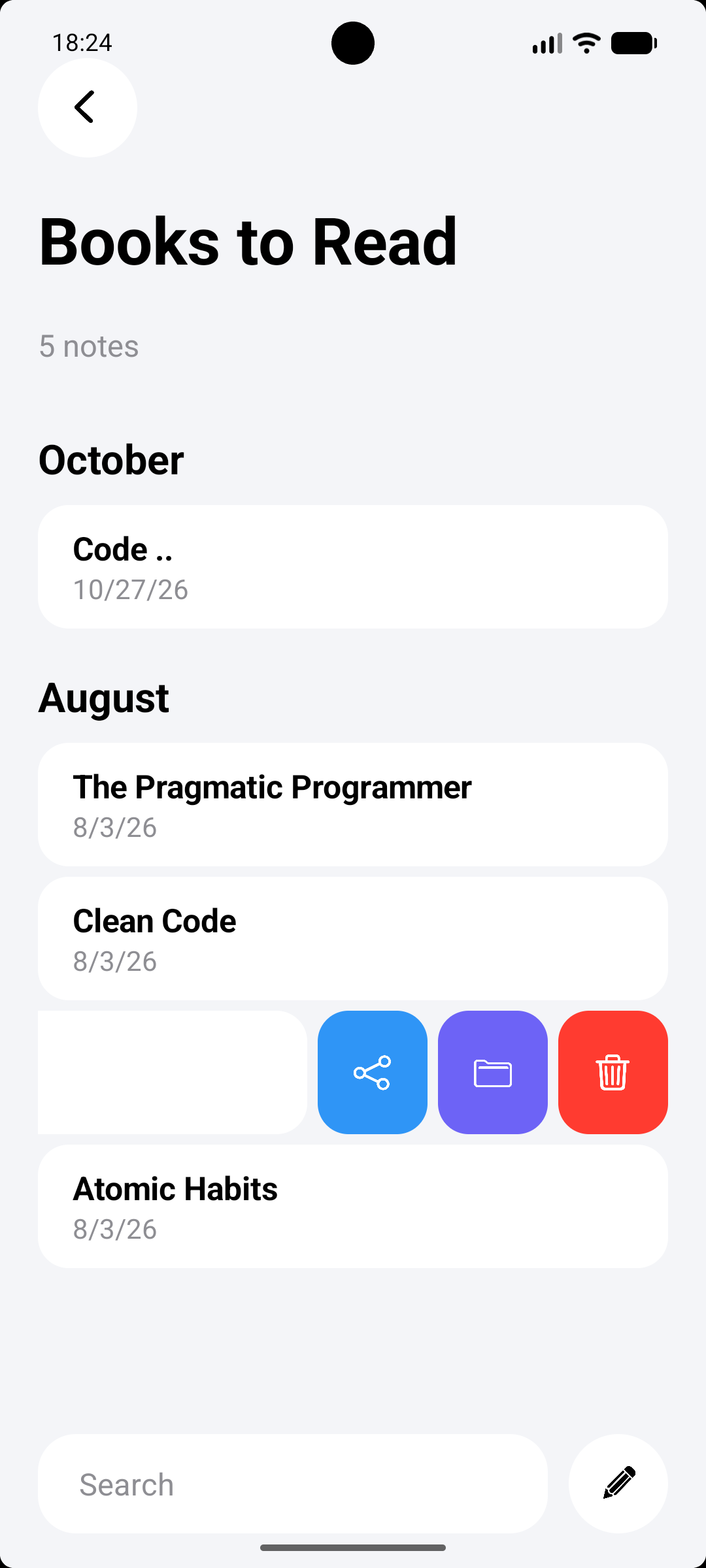
A familiar swipe
Share, move, or delete a note with swipe actions.
Actual screenshots of LinkNotes on Android. Tap an image to view it full size.
Get LinkNotes on Google PlayPART ONE · ON YOUR iPHONE
How to transfer Apple Notes
from iPhone to Android.
Start with LinkNotes installed on your iPhone. Follow these eight steps to create and share your encrypted export. Tap any image to see it full size.
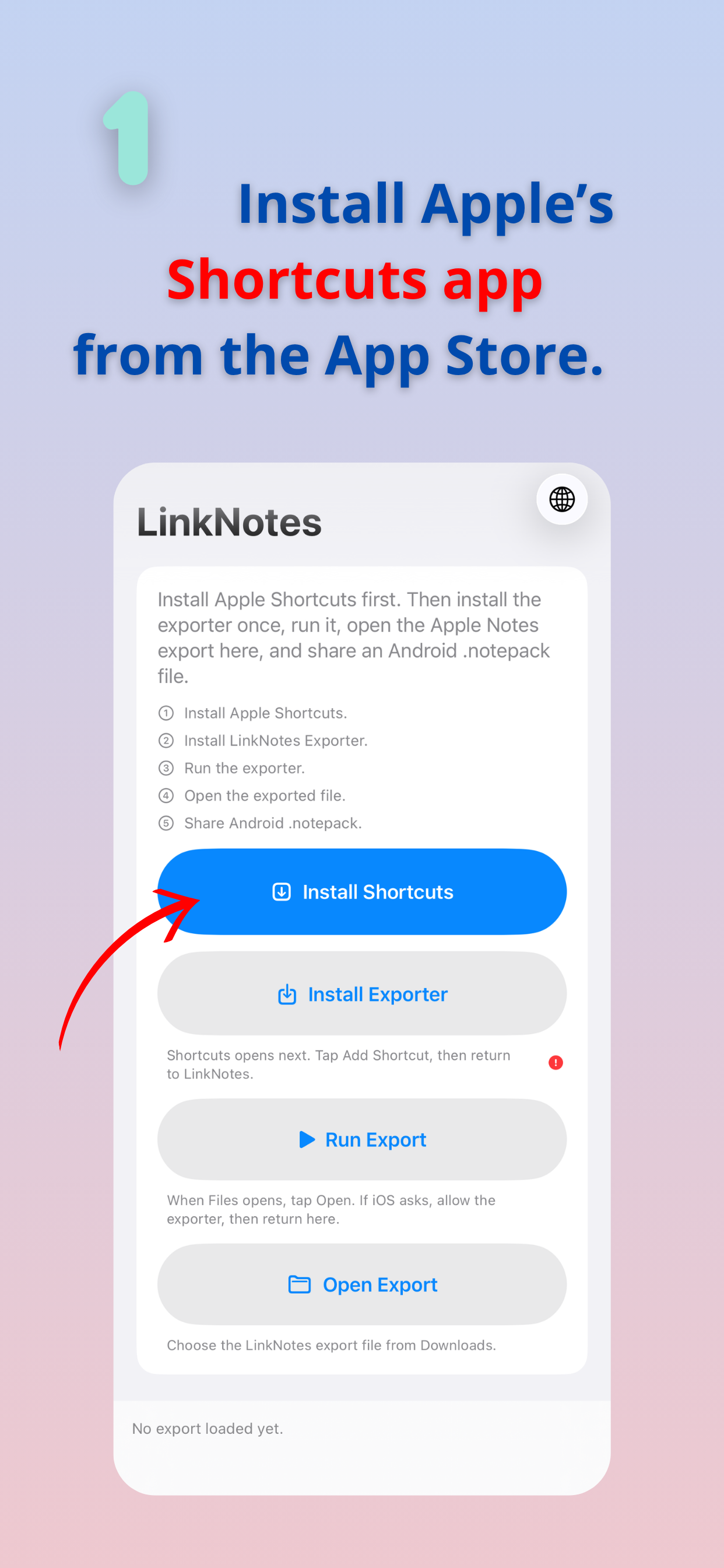 01
Install Apple Shortcuts
In LinkNotes on your iPhone, tap Install Shortcuts to get Apple’s Shortcuts app.
 02
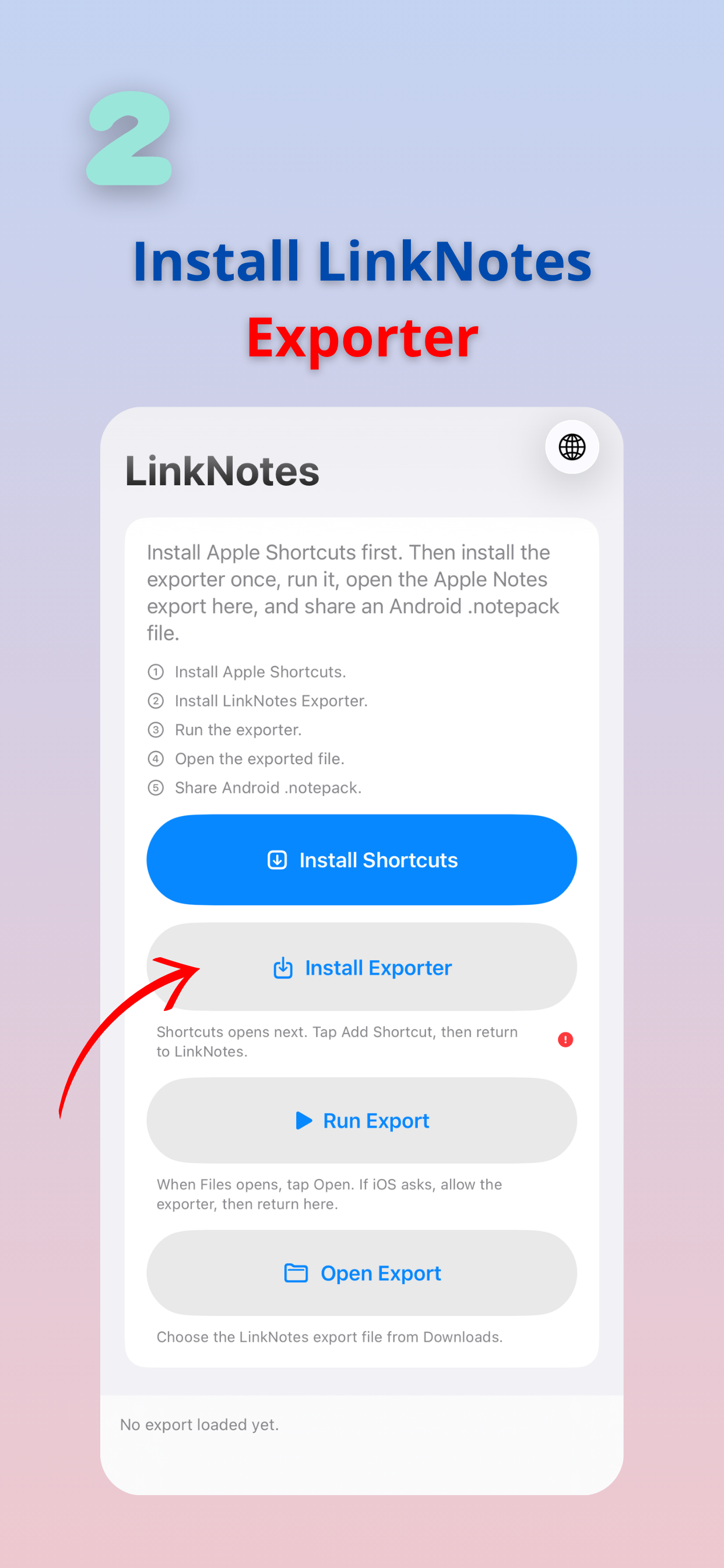
Install the exporter
Return to LinkNotes and tap Install Exporter.
 03
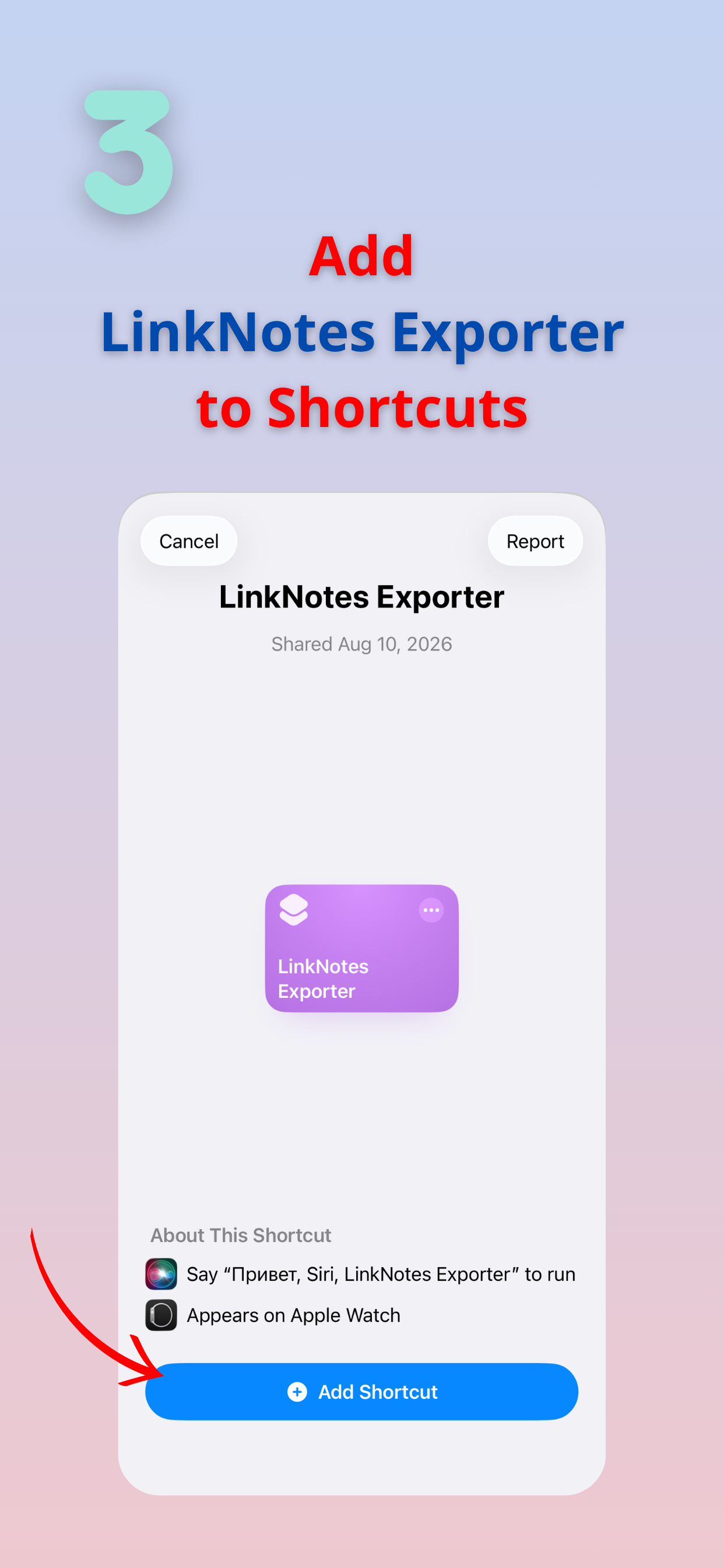
Add the shortcut
Tap Add Shortcut to add LinkNotes Exporter to Apple Shortcuts. Then return to LinkNotes.
 04
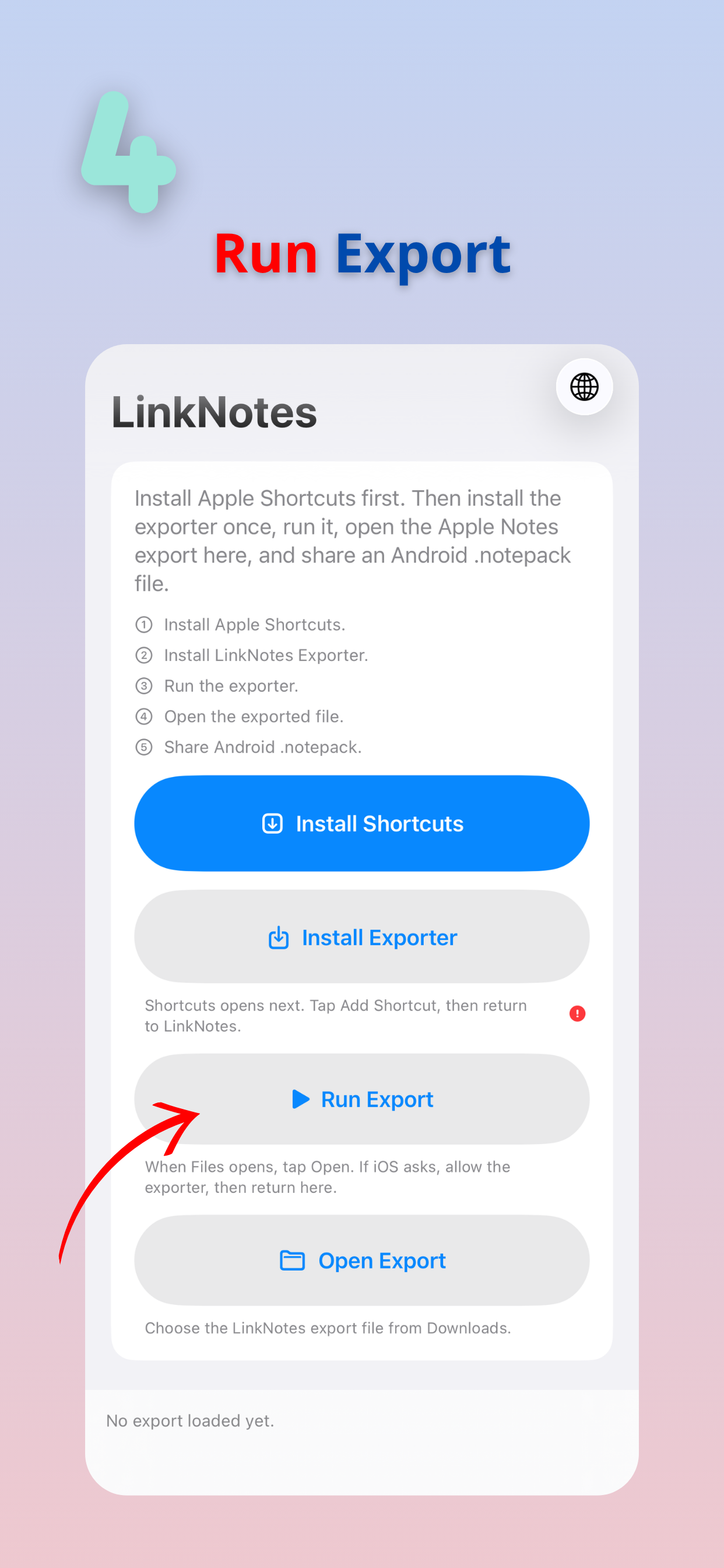
Run your export
Tap Run Export to start exporting your Apple Notes.
 05
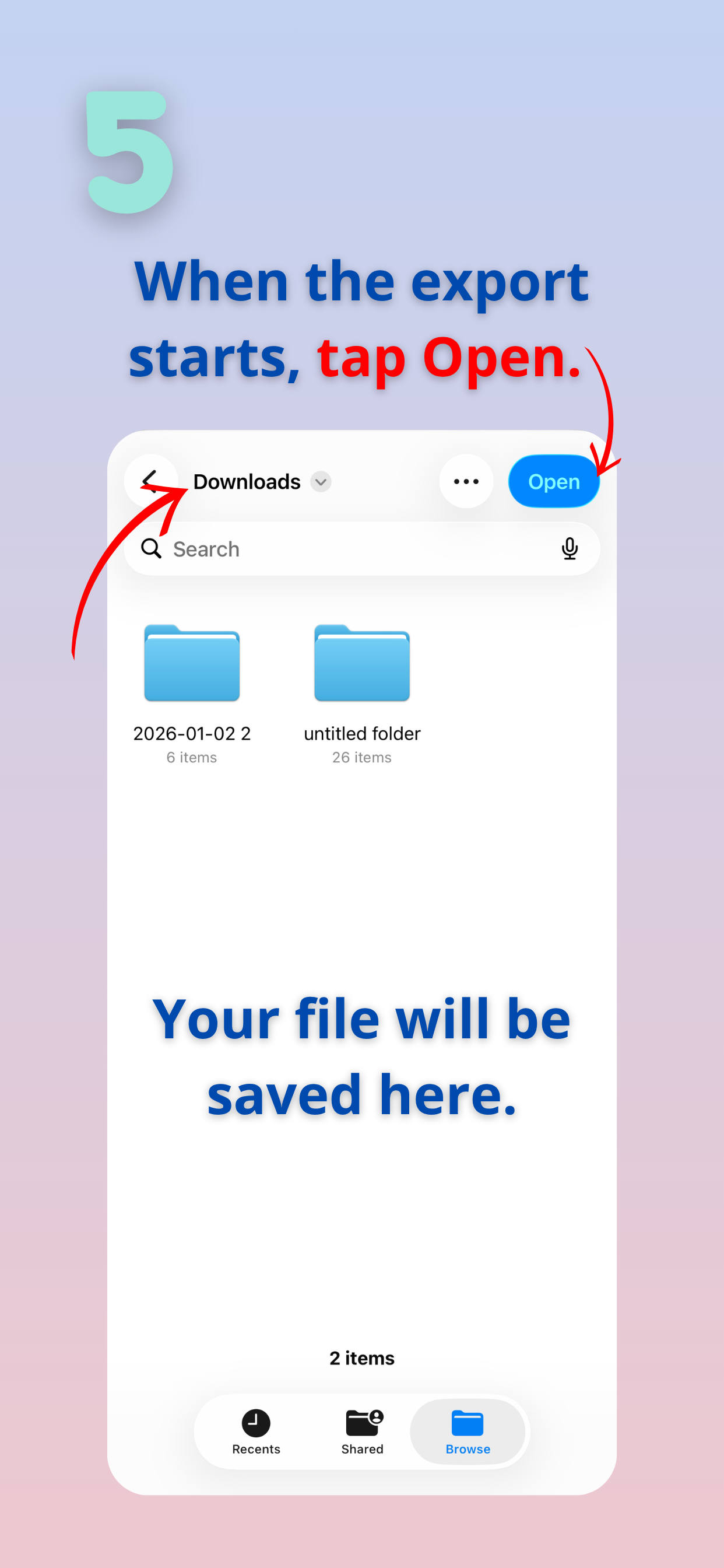
Choose where to save
When Files opens, choose Downloads or another folder and tap Open. Allow access if iOS asks.
 06
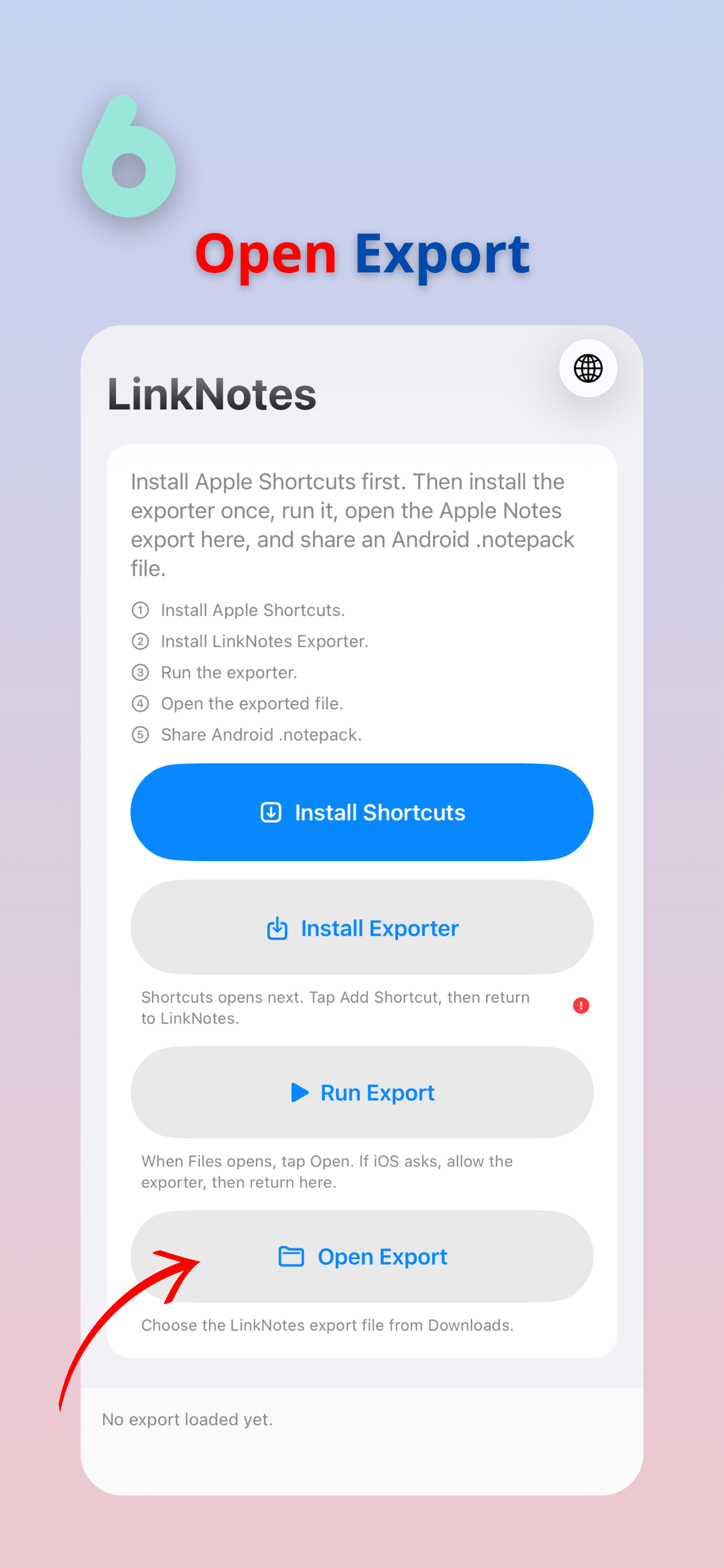
Open your export
Return to LinkNotes and tap Open Export.
 07
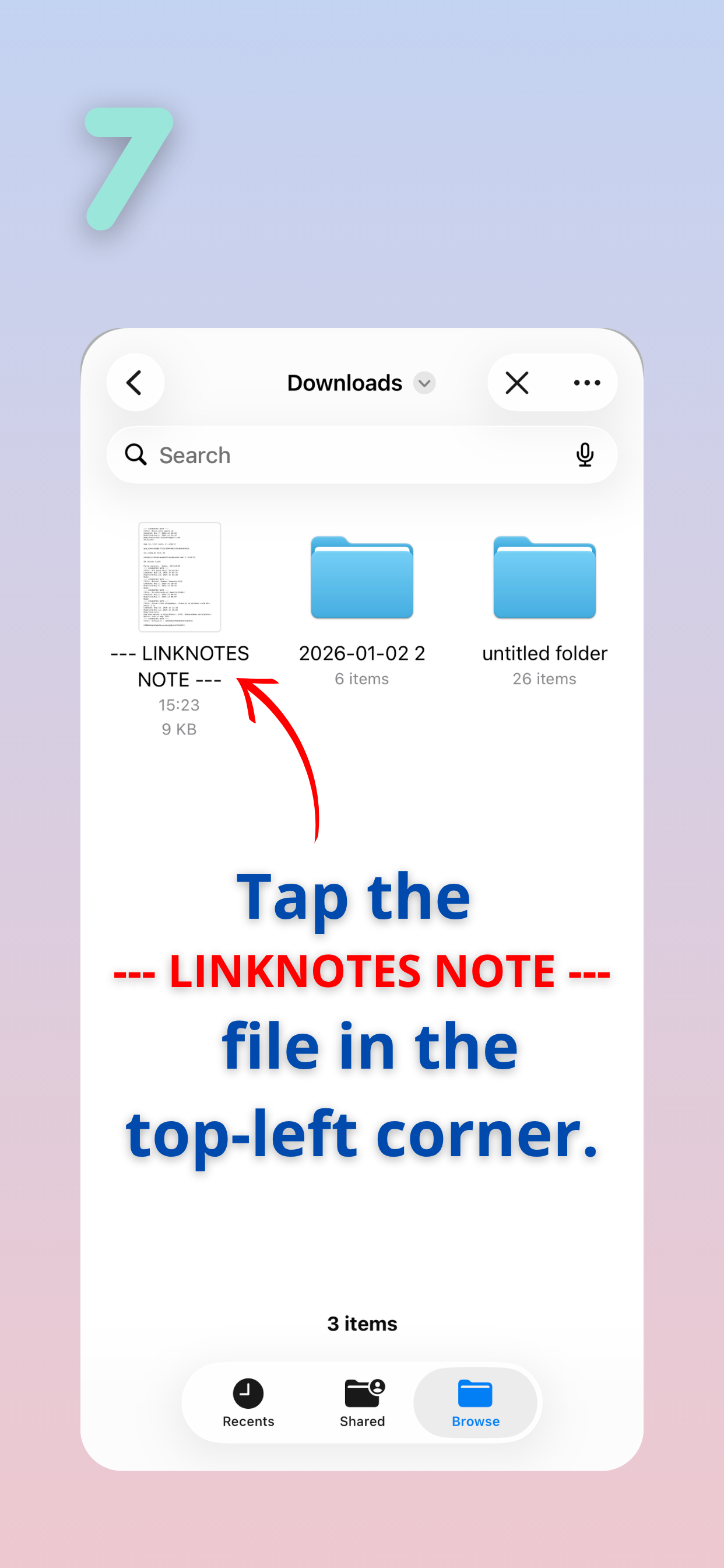
Select the exported file
Find the export in the folder you chose and tap the file beginning with “--- LINKNOTES NOTE ---”.
 08
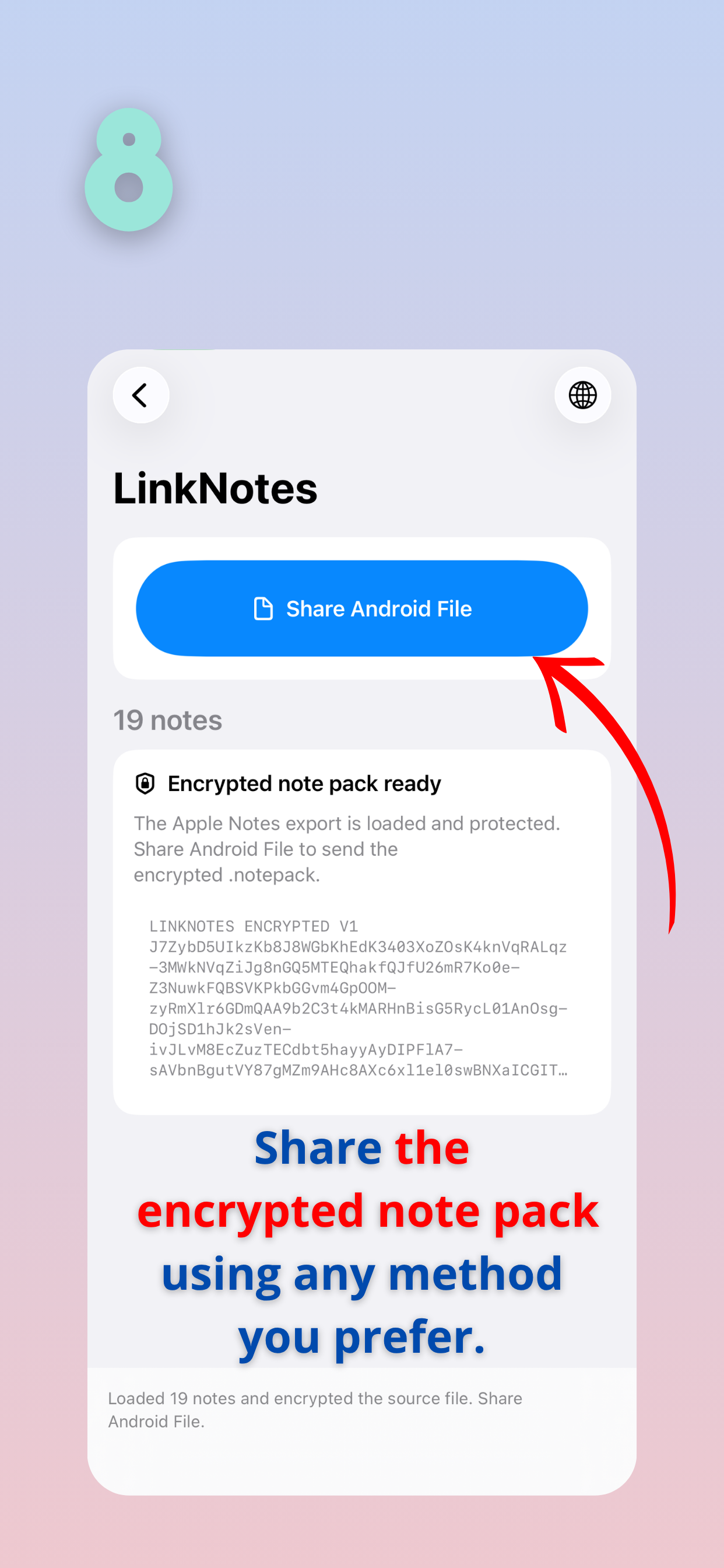
Share your note pack
Tap Share Android File. Send the encrypted .notepack to yourself using your preferred sharing method.
PART TWO · ON YOUR ANDROID
Your notes are
one file away.
Once your iPhone export is ready, finish the move on your Android phone in three simple steps.
↳ Your notes.notepack- 1
Send it to yourself
Send the encrypted .notepack from your iPhone by email, messenger, or another sharing method.
- 2
Save it on Android
Download the file to Downloads or any folder you can find in your Files app.
- 3
Open with LinkNotes
Tap the .notepack file and choose LinkNotes if prompted. Your notes will be imported into the app.
Don’t have LinkNotes on Android yet? Install LinkNotes from Google Play, then open the saved .notepack again. If your file manager cannot open it, open LinkNotes and select the saved file from there.
APPLE NOTES TO ANDROID · QUESTIONS
Moving your notes, explained.
How do I transfer Apple Notes from iPhone to Android?
Install LinkNotes on both phones. On iPhone, use Apple Shortcuts and LinkNotes Exporter to export your Apple Notes, then open that export in LinkNotes. Tap Share Android File and send the encrypted .notepack to yourself. Save it on your Android phone and open it with LinkNotes. The illustrated iPhone export guide walks through each step.
Can I use my Apple Notes on Android after importing them?
Yes. Open your imported notes in the LinkNotes Android app, organize them in folders, add photos, and keep writing. The interface is inspired by Apple Notes, with familiar note lists and swipe actions.
Does LinkNotes sync with iCloud?
LinkNotes transfers notes using an export file. It does not provide ongoing synchronization with iCloud or Apple Notes. If you want to move another set of notes later, create and transfer a new export.
How do I open a .notepack file on Android?
Install LinkNotes from Google Play, save the .notepack in Downloads or another folder, and tap it in your file manager. Choose LinkNotes if prompted. If the file manager cannot open it, open LinkNotes and select the saved file inside the app.
Do I need an account to transfer my notes?
LinkNotes does not require a LinkNotes account. Export on your iPhone and send the file using your preferred method. The iPhone export is encrypted; avoid sharing your exported files publicly.
New phone. Familiar notes.
Take your notes with you when you move to Android.
Start with the iPhone guide